Search FAQ / Can I use MODO DRUM with with my electronic drumset?
Can I use MODO DRUM with with my electronic drumset?
MODO DRUM will work great with electronic drum sets. Each drum set is unique and may require slightly different steps, but for the most part, this guide should help you get set up.
Note: This example uses the TD-20 Roland V-Drum kit.
- Select your Audio Interface and MIDI controller input inside the MODO Drum Settings.
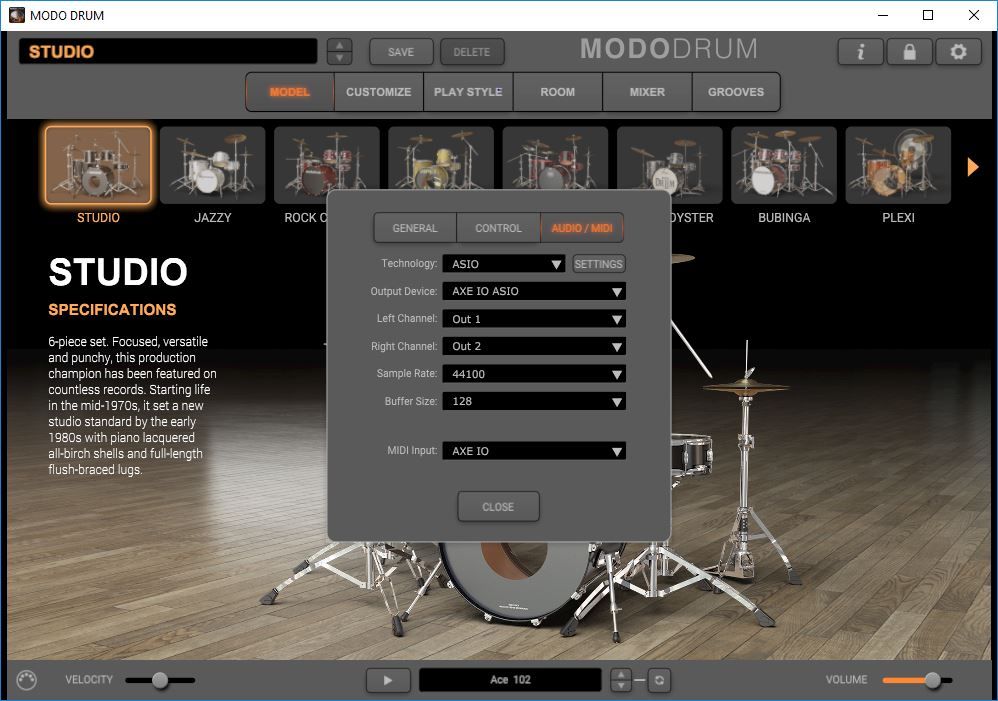
- Using the Settings window use the Controller tab to select the correct MIDI CC values for your electronic drum set. For the Roland TD-20 in this example, we will use the following settings. These can be found in your user manual of your drum set and they are usually editable values which allow for customization.
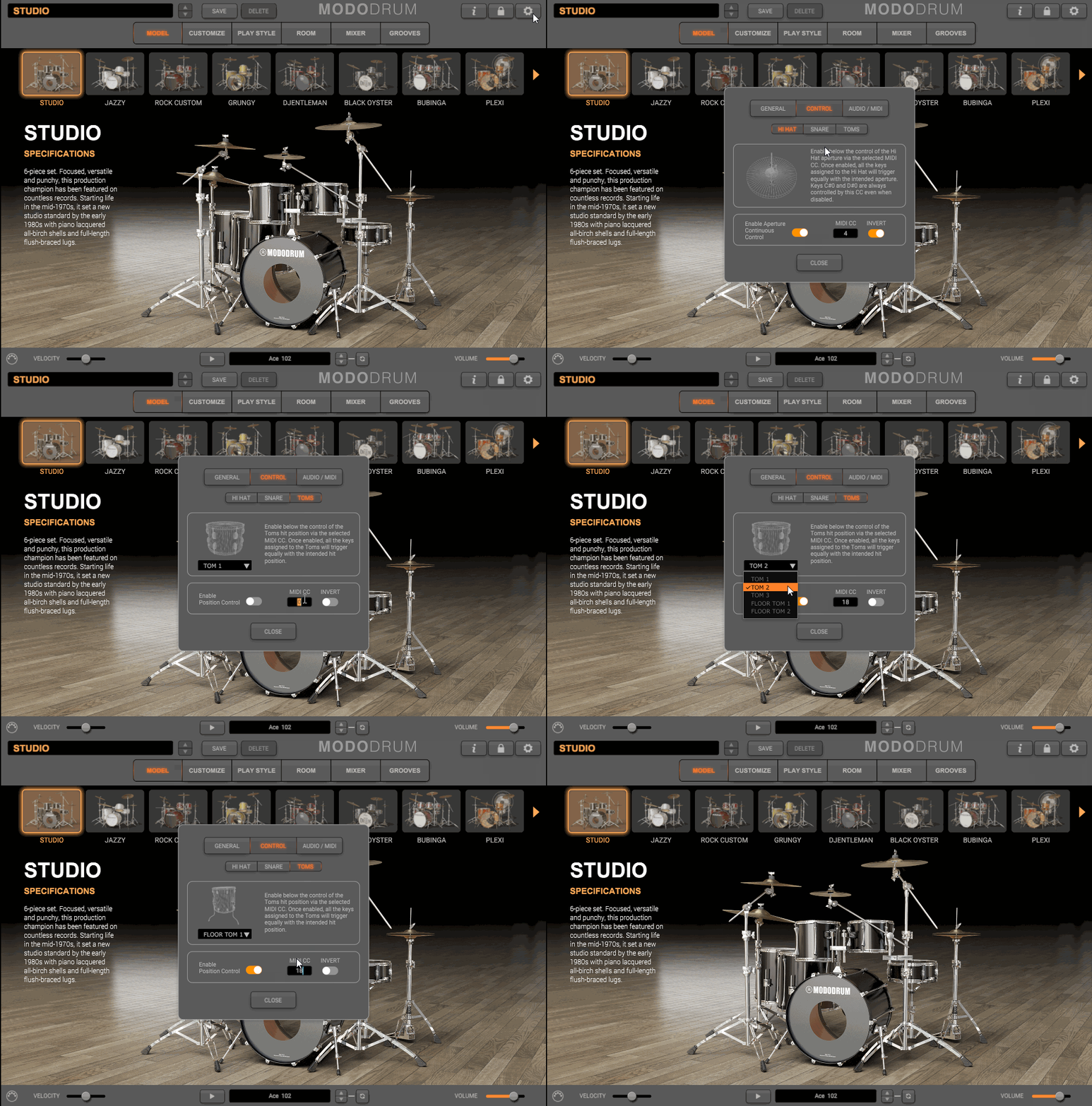
- CC4 - Foot Pedal (Hi-Hatt) - Invert set to ON
- CC16 -Snare - Play Position - Invert set to OFF
- CC 18 - Toms - Play Position - Invert set to OFF
- Once selected, using your drum brain to make sure you trigger the correct notes in MODO DRUM.
Below is a diagram with the MODO DRUM key-mapping to help you map your kit.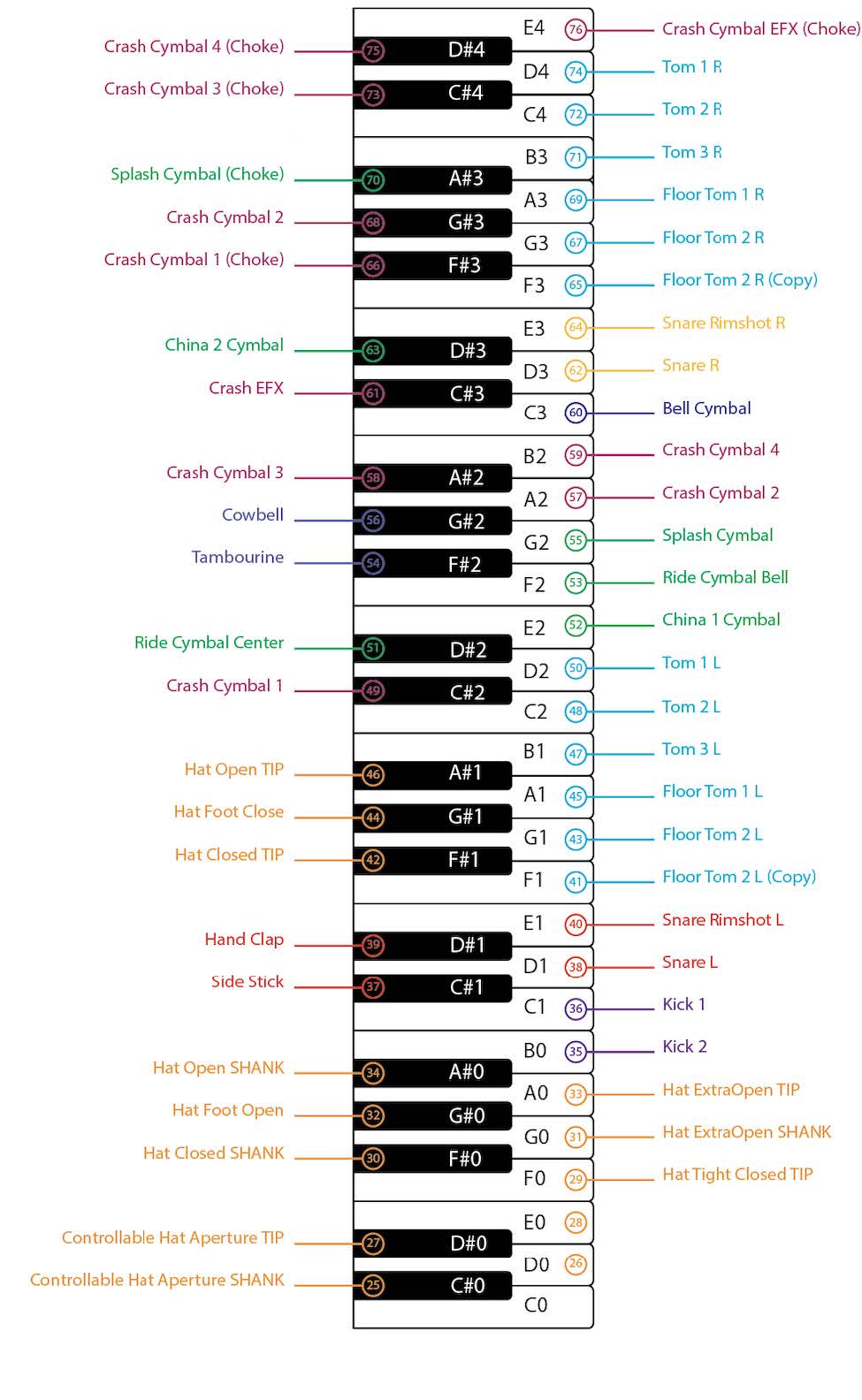
- Once your notes are set up properly, you are ready to go. Due to the nature of MODO DRUM, these notes will match each of the different drum sets or customization in MODO DRUM. The diagram below will better explain this as well as clarify the key-mapping listed above.
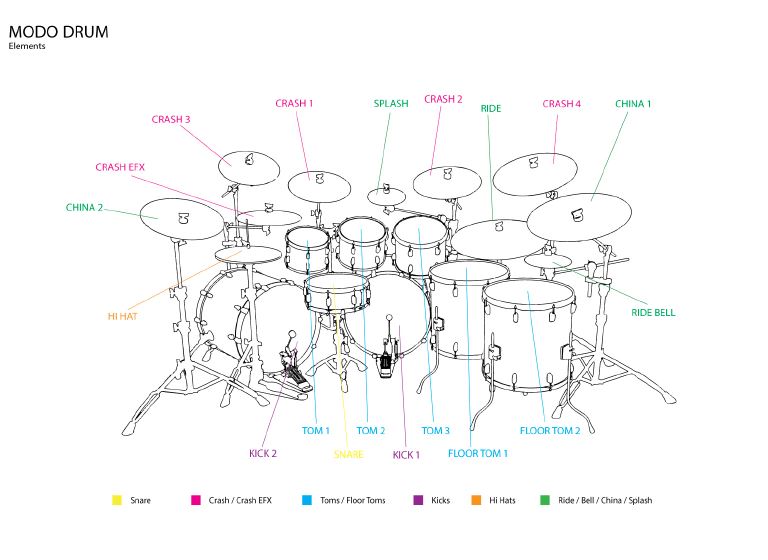
MODO DRUM owners can find more information on this topic in Chapter 10 of their user manual. This manual, like all IK Multimedia manuals can be found in My Products.
If you need any extra help after reading this FAQ, please contact support here.
If you need any extra help after reading this FAQ, please contact support here.
FAQ ID: 1262


