
庞大的音调库
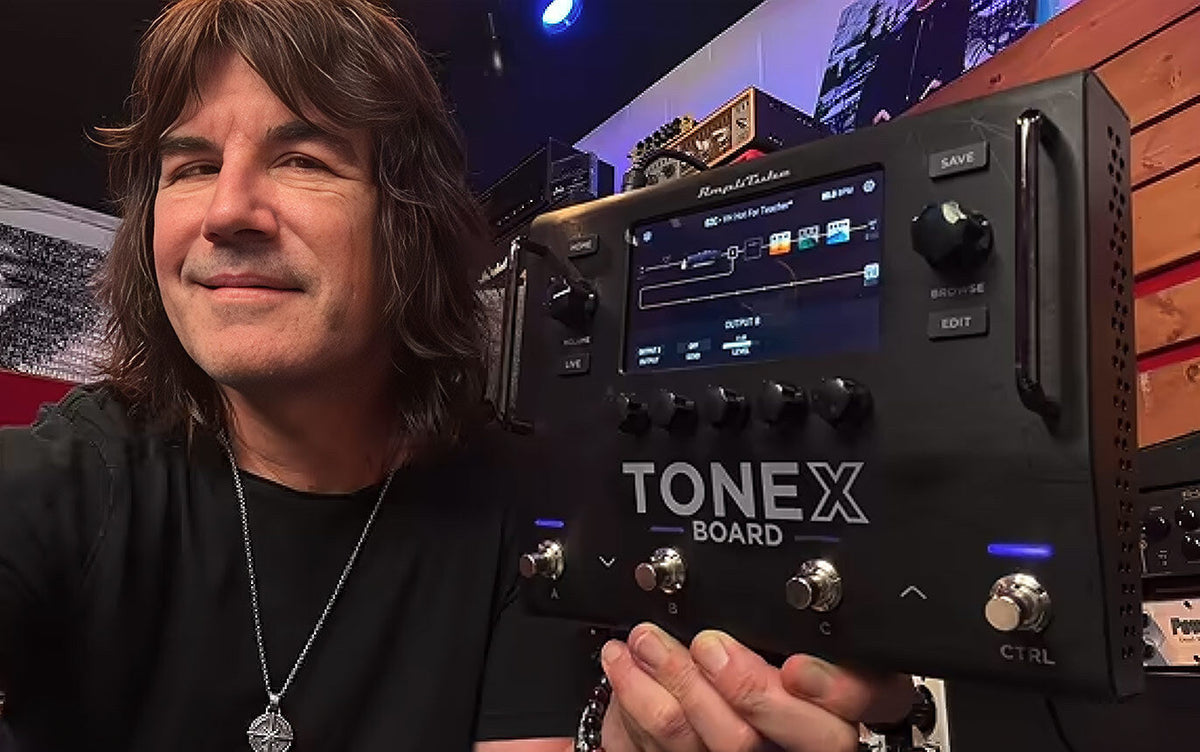
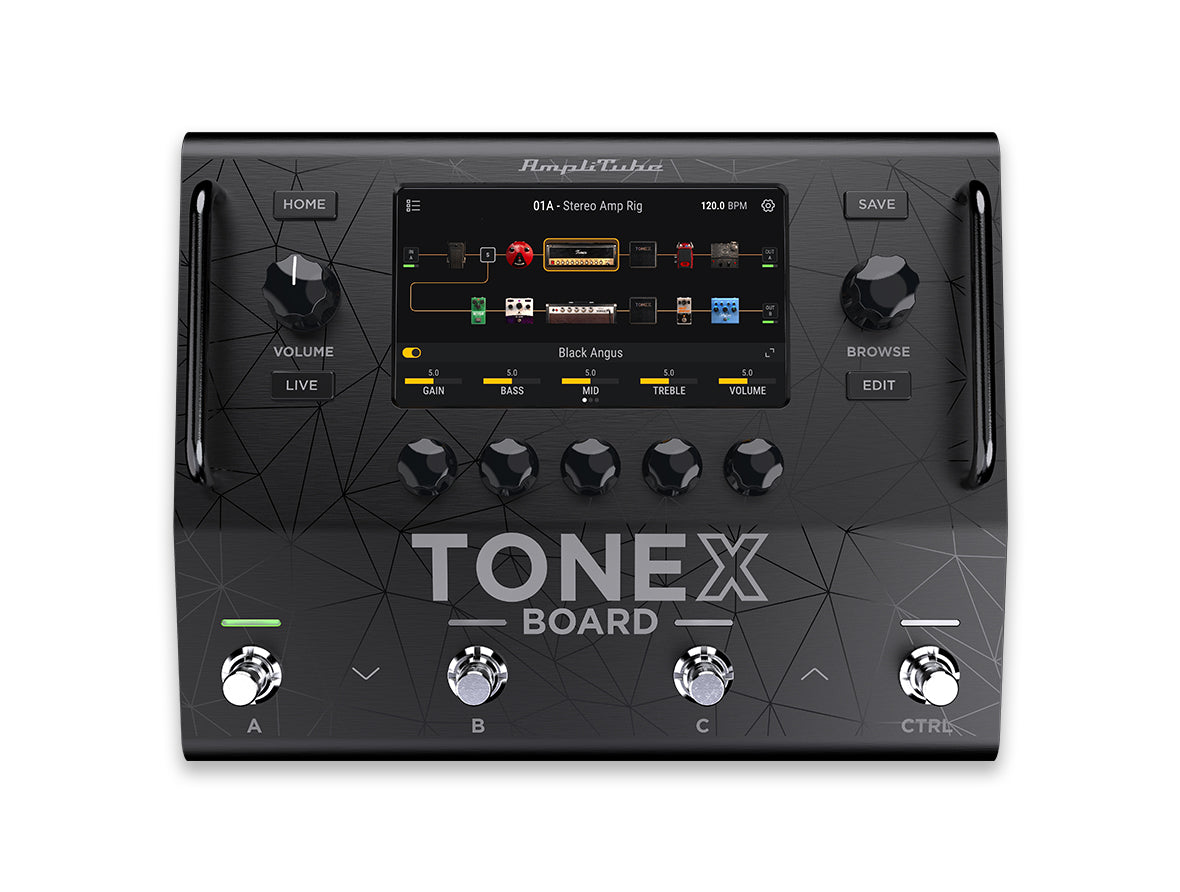
TONEX Board 包括 2,000 个优质音色模型,涵盖复古经典、标志性放大器、现代高增益装置和广受欢迎的踏板。该系列结合了原始 TONEX MAX 库、新增内容、TONEX ONE+ Signature Collection 模型以及来自 Tone Partners 的捕获。它还具有 230 多个吉他和贝斯工厂预设,开箱即用。
下载音色模型列表购物车
您的购物车为空


ONE BOARD. A UNIVERSE OF TONE.
World-class TONEX sound meets extraordinary versatility
Rates from 0-36% APR. Payment options through Shop Pay Installments are subject to an eligibility check and are provided by these lending partners: affirm.com/lenders. Options depend on your purchase amount, and a down payment may be required. State notices to consumers: affirm.com/licenses.


TONEX Board puts 76 studio-grade effects across 9 categories at your feet, including 51 effects from AmpliTube, 15 TONEX effects, and 10 all-new effects. From AmpliTube’s Dynamic Saturation Modeling™ to the latest TONEX processors, you get a powerful collection built for exceptional sound, realism, and dynamic response. Freely place and route effects across flexible signal paths to shape everything from essential pedalboard setups to expansive creative rigs.

Ambass’dor
’80s British distortion with a full amp in one pedal

AmpLess
Bass preamp DI staple for vintage-to-modern grit

Big Pig
Sustain-heavy fuzz from smooth to buzz-saw distortion

Booster
20dB clean boost for solos and driving your rig harder

Crusher
Aggressive digital distortion with sample-rate crunch

Distortion
Versatile ’78 distortion, from subtle crunch to mayhem

Fuzz Age
Classic germanium fuzz for expressive lead tones

Fuzz One
Vintage fuzz behind a famous Rolling Stones riff

Metal Distortion
Extreme-gain distortion built for pure metal mayhem

Metal Distortion 2
Rare ’80s distortion for deep, dark metal crunch

Octa-V
Fuzz with frequency-doubling for an octave-up note

OctoBlue
Fuzz plus a two-octave-down duplicate signal

OctoDist
Octave fuzz update with switchable Fat/Bright modes

ODX
Touch-sensitive overdrive with tube-amp complexity

Overdrive
Aggressive, collectible overdrive that pushes amps harder

OverScream
Go-to overdrive/distortion favored by top guitarists

Power Core
High-gain distortion with a precise 3-band active EQ

Pro Drive
Versatile distortion from light crunch to shred gain

RightFuzz
Rare 1966 fuzz, one of the first floor pedals ever

Treble Booster
Bright booster for a singing, cutting lead tone

Tube Overdrive
Tube-driven overdrive with rich 12AX7 distortion

VariDiode+
Distortion with three switchable clipping diode types

Auto Pan
Move your signal across the stereo field with smooth or tempo-synced motion

Chorus-1
Classic bucket-brigade analog Chorus and Vibrato

Electric Flanger
Warm vintage flanger with chorus and ring-mod tones

Flanger Doubler
Flanger plus doubler for massive layered rhythm tone

FOX Phaser
Rare pedal-controlled phaser with a distinctive sweep

Metal Flanger
Iconic ’80s flanger for unmistakable hard-rock tone

Opto Tremolo
Vintage optical tremolo effect

Phazer 9
One of the most popular phasers ever made

Phazer10
Classic analog multimode phaser stomp box

Small Phazer
Compact analog phaser, from gentle to swirling

TX Chorus
Lush stereo chorus adds rich dimension and movement to clean and driven tones

TX Flanger
From subtle comb filtering to dramatic jet sweeps with wide stereo movement

TX Phaser
Fluid, swirling phase shifts add motion and depth without softening your attack

TX Rotary
Spinning-speaker modulation with organic acceleration, pulse and stereo depth

TX Tremolo
Classic amplitude modulation from gentle vintage pulse to locked rhythmic chop

Uni-V
Vintage optical chorus/rotary-speaker simulator

Pitch Shifter Mono
Shift a mono signal for harmonies, detuned doubling and creative intervals
Pitch Shifter Stereo
Create wide pitch-shifted harmonies, detuning and stereo doubling effects

Octav
Dual-voice octave pedal, one and two octaves down

Parametric EQ 3 Mono
3-band parametric EQ for precise tone shaping

Parametric EQ 3 Stereo
3-band parametric EQ for precise tone shaping

10 Band Graphic
Clean 10-band graphic EQ for dialing in your tone

Bass Wah
Classic wah with an auto mode, no controller needed

Envelope Filter
Touch-responsive filter from auto-wah to extreme sounds

NU-Tron III
Classic ’72 automatic filter loved on funk and keys

Wah
Classic wah with an easy-to-use auto function

WahDist
Classic wah with built-in high-gain distortion

63 Reverb
Classic all-tube spring reverb, lush surf-style tone

TX Spring 1
Spring reverb with lively reflections, natural bounce and adjustable vintage depth
TX Spring 2
Spring reverb with lively reflections, natural bounce and adjustable vintage depth
TX Spring 3
Spring reverb with lively reflections, natural bounce and adjustable vintage depth
TX Spring 4
Spring reverb with lively reflections, natural bounce and adjustable vintage depth

TX Plate
Smooth studio plate reverb with dense reflections and a rich, even decay

TX Room
Natural room reflections that add realistic depth without masking your core tone

Hall
Spacious hall reverb with broad reflections and a smooth, extended decay

Shimmer 1
Reverb with one pitch-shifted voice, from subtle harmony to octave shimmer

Shimmer 2
Reverb with two parallel pitch voices for rich, layered harmonic ambience

Dcomp
Vintage compression stomp pedal

TX Comp
Smooth dynamic control that evens levels while preserving attack and character

TX Noise Gate
Reduce hiss and unwanted noise for cleaner high-gain tones and tighter riffs

Parallel Comp (ST)
Blend compressed and dry stereo signals for sustain without losing attack

Analog Delay
Classic analog delay with built-in modulation

Arctic
Atmospheric delay that combines shimmer with filterable repeats

Duck
Delay repeats move behind your playing, then rise naturally between phrases

EchoMan
Classic bucket-brigade analog echo/delay with modulation

EP Tape Echo
Gold-standard vintage tape echo for wild psychedelia

Harm Delay
Pitch-shifted delay repeats create harmonies, melodic patterns and layered echoes

Slap Back
Short single-repeat echo for vintage depth, rhythmic punch and added presence

Twin Repeat
Two independent delay lines create wide rhythms and complex stereo repeats

TX Digital Delay
Clean, precise digital repeats for synced rhythms, leads and stereo echoes

TX Tape Delay
Warm tape-style delay with softened repeats, saturation and natural movement

Swiss Tool
Adjust pan, stereo width, timing and polarity for precise signal management

Volume
Traditional volume pedal

FX Loop
Insert external pedals or processors anywhere within your complete signal chain

After registering TONEX Board and installing the software, connect the Board by USB-C, launch TONEX Board Editor, and install the latest firmware before continuing. The latest firmware is required for the best experience.
Download and install the IK Multimedia Product Manager
Use IK Product Manager to register your hardware and install the TONEX software suite.

Sign in or create your IK Multimedia account
Open IK Product Manager and log in with your IK Multimedia credentials.

Register your TONEX Board
Enter the serial number supplied with your TONEX Board.

Download and install TONEX software
Install/update the TONEX software suite and authorize it. During the installation ensure that TONEX Board Editor is selected. You will use Board Editor to update the firmware before continuing.

Update TONEX Board firmware
Connect TONEX Board to your computer via USB-C and launch TONEX Board Editor. The application will automatically detect if an update is available. If an update is available, follow the on-screen instructions to install the latest firmware. Keep power and USB connected until the update is complete.

Connect your instrument and output
Plug your guitar or bass into Input 1, then connect XLR Out 1–2, Output 3–4, or headphones.

Open the tuner
- In any mode: Press footswitches B + C together to open the tuner.
- In Preset Mode: You can also press and hold the footswitch for the active preset. To exit the tuner and return to playing, press any footswitch.

Load a preset and start playing
Press the Browse knob to open the Preset Browser, rotate to preview a preset, and press to load it.
Installed with the TONEX software suite, TONEX Board Editor is the required tool for firmware updates. After updating, use it to transfer Tone Models, presets, and custom IRs from your computer and to back up the Board setlists.
If TONEX Board Editor still doesn't let you see your TONEX Board after installing and authorizing the TONEX software, try to follow these steps:
After your purchases are restored the TONEX Board Editor should correctly see the connected TONEX Board.
For any further help with the installation process please contact our support team.
The TONEX 2.0.4 Player Public Beta is available to all TONEX users. As a registered TONEX Board user, you unlock the complete Board signal chain and effects in TONEX software, where you can create, play, and organize complete rigs—or record with them using the TONEX plug-in in your DAW.
The beta installer includes TONEX 2.0 Player, TONEX Modeler, TONEX Editor (for older TONEX hardware), and TONEX Board Editor.
How to installInstalling the beta replaces your current TONEX applications, so back up your TONEX library first.
Traditional Amp
1. Connect. Run an analog output from TONEX Board to the amp input or effects-loop return.
2. Bypass cabinets if needed. If you are using TONEX Board together with a real guitar/bass cabinet, we suggest bypassing any cabinet in your TONEX Board preset. To do so: Open Settings → Global → General and enable Global Cabinet bypass.
FRFR / PA / monitors
1. Connect. Use XLR Out 1–2 or Outputs 3–4.
2. Keep cabinets on. If there is not a real guitar/bass cabinet running after TONEX Board, we suggest using a Tone Model with its cabinet, VIR cabinet, or custom IR enabled.
USB audio recording coming October 1, 2026
Beginning October 1: Install the latest TONEX Board firmware through TONEX Board Editor, then connect the Board to your computer by USB-C.
In your DAW: Select TONEX Board as the audio input and output, create a track, choose the desired Board input, arm the track, and record.
Headphones
1. Connect. Plug headphones into the mini-TRS headphone output.
2. Set volume. Start low, play, and raise the Volume knob to a comfortable level.
Level Check
1. Open the Audio Panel. Tap the Settings gear in the upper-right, then select Audio Panel.
2. Check the input. Play your instrument at normal performance level and watch the meter for the input you are using.
3. Set the input level. Adjust that input until the signal is strong but does not clip.
4. Set the output level. Play again and adjust the active output for your amp, PA, monitors, headphones, or recording setup.
TONEX Board footswitches can operate in three different modes:
Preset Mode: to operate using presets.
Scene Mode: to operate with scenes within a preset.
Stomp Mode: to activate/bypass any slot assigned to a footswitch.
Preset Mode
Select: Tap the mode icon until Preset is shown.
Use: Press A, B, or C to load a preset. To browse banks, make sure Footswitch is set to Release under Settings > Global > General. Then press A + B together for the previous bank, or C + CTRL together for the next bank.
Scene Mode
Select: Press the CTRL footswitch or tap the mode icon to cycle through the available modes until Scene Mode is shown.
Use: Press A, B, or C to recall a scene. Assign a parameter: Press EDIT, press and hold the parameter, then select Scene Mode.
Stomp Mode
To use TONEX Board in Stomp Mode:
Assign a slot: Press EDIT, press and hold the slot, select Assign, then press A, B, or C.
Use: Select Stomp Mode, then press the assigned footswitch to enable or bypass the slot.
Shortcut: Press CTRL when it is assigned to Mode Cycling, or tap the mode icon in the upper-left of the display.
TONEX Board has three different views:
Home View lets you access the main information of the selected preset.
Edit View lets you edit the selected preset chain.
Live View displays the most useful information when playing live.
Home View
Open: Press HOME.
Use: Rotate the Browse knob to select presets. Use the five parameter knobs to adjust the assigned Quick Parameters.
Edit View
Open: Press EDIT.
Use: Touch a slot, input, or output to edit the rig; swipe or rotate Browse knob to choose gear. Touch the selected slot or an empty slot on chain to open the gear browser.
Live View
Open: Press LIVE.
Use: Check each footswitch assignment and adjust Quick Parameters while performing.
To show the selected preset chain, press the EDIT button to display the EDIT VIEW.
Choose a chain layout
Serial: Place up to 12 slots in series.
Split / Mix: Press and hold a slot on Path A, then add a Split and/or Mix block to use Path B for parallel processing.
Independent paths: Press and hold the input and output modules to add a second input and output. Assign each path its own input and output to create two independent six-slot signal chains.
Set the input
1. Select: Touch the Input A module.
2. Assign: Choose Input 1, Input 2, Input 1–2, Return 1, Return 2, or Return 1–2.
Set the output
1. Select: Touch the Output A or B module.
2. Assign: Choose XLR Out 1, XLR Out 2, XLR Out 1-2, Output 3, Output 4, Output 3-4, All (1-2 and 3-4). You can also use Send 1, Send 2 or Send 1-2 as additional outputs.
Add a Quick Parameter
1. Select: Select the gear containing the parameter.
2. Assign: Press and hold the parameter, then select Quick Parameter.
3. Use: Return to Home or Live View to adjust it.
Once you've finished editing the selected presets, press SAVE to save them.
To show the selected preset chain, press the EDIT button to display the EDIT VIEW.
External controls
TONEX Board can be controlled with up to 2 external control pedals.
Connect an external pedal to EXT. CTRL 1 or 2, then configure it from the Board:
• Open Settings → Global → External Control, then select EXT. CTRL 1 or EXT. CTRL 2.
• Choose Single Switch, Double Switch, or Expression Pedal and set its function. For an expression pedal, select CALIBRATE and follow the on-screen range prompts.
To create a macro, press EDIT, press and hold a parameter, select the external control, then set the parameter’s minimum and maximum values.
GLOBAL EQ
Tailor each output for its destination.
You can tweak both XLR Output 1-2 and Output 3-4 with a global EQ. To set the global EQ for an output:
1. Open Global EQ. Tap the Settings gear in the upper-right, then select Global EQ.
2. Choose an output pair. Select XLR Out 1–2 or Output 3–4.
3. Adjust the EQ. Set the available EQ controls while listening through the selected destination.
4. Set the other output if needed. Switch to the other output pair and create a separate EQ setting.
Global EQ settings are independent for XLR Out 1–2 and Output 3–4, so you can optimize each connection separately.


Unlike standalone processors, TONEX Board is the heart of a complete hardware and software ecosystem. It unifies every stage of your workflow, from capturing gear and exploring tones to managing presets and performing live. Powered by AI Machine Modeling® and studio-grade effects, it delivers thousands of Tone Models and presets across flexible dual signal paths, giving you unmatched freedom to create, organize, and expand your sound with no limits.


IK Multimedia Production Srl 的商标或注册商标财产。保留所有权利。
Mac、Mac 徽标、Audio Units 徽标、iPhone®、iPod touch®、iPad® 是 Apple Computer, Inc. 在美国和其他国家/地区注册的商标。 App Store 是 Apple Inc. 的服务标志。Windows 和 Windows 徽标是 Microsoft Corporation 在美国和/或其他国家/地区的商标或注册商标。 VST 是 Steinberg Media Technologies GmbH 的商标。 AAX、Avid、Avid 徽标、Pro Tools 和 RTAS 是 Avid Technology, Inc. 在美国和其他国家/地区的商标或注册商标。
所有其他产品名称和图像、商标和艺术家名称均为其各自所有者的财产,与 IK Multimedia 没有任何关联或附属关系。产品名称和图像仅用于识别 IK Multimedia 声音模型开发过程中研究的特定产品以及描述使用 IK Multimedia 数字建模技术产生的某些类型的音调。使用这些名称和图像并不意味着任何合作或认可。
IK Multimedia 不承担用户上传到 ToneNET 的内容的任何所有权,包括但不限于音调模型、预设以及用户随其内容上传的任何文本或符号。 IK Multimedia 不认可或代表 ToneNET 的任何用户,用户在 ToneNET 上随其内容上传的任何名称、商标或商号不应被解释为对 IK Multimedia 的认可、关联或从属关系。用户声明并保证他们拥有或被许可使用他们上传的任何内容中的所有知识产权,包括版权和商标。 IK Multimedia 声明用户上传的任何内容均不侵权。请参阅 ToneNET 使用条款 ,其中包含如果您认为 ToneNET 上的内容侵犯了您的权利,您可以通知我们的方式。